Skip to content

Dealer Lead Generation

Turn dealer traffic into a cleaner lead pipeline.

Dealer lead generation works better when search pages, landing pages, forms, routing, follow-up, and CRM-style visibility are built together instead of scattered across disconnected tools.

Proof-led work

DealerLeadPro can show a sample dealership landing page, lead capture structure, and dashboard-style workflow examples before building a custom system.

Dealership landing page sample screenshot
Built around leads

Search visibility, landing pages, forms, routing, dashboards, and follow-up should work as one system.

What improves

Clearer lead capture paths for buyer intent

Landing pages built around campaigns and inventory interest

Lead routing that matches your dealership process

Follow-up workflows that reduce missed opportunities

Best fit

Built for dealership teams that need search work tied to leads.

Dealerships losing leads in inboxes

For teams where form submissions, calls, vehicle inquiries, and finance requests are scattered across email, spreadsheets, or disconnected tools.

Lead providers needing cleaner routing

For businesses that capture or distribute auto leads and need clearer source tracking, partner context, ping-post direction, and dashboard visibility.

Campaigns without a follow-up system

For paid, SEO, or landing page campaigns where traffic exists, but the handoff after the form is too slow or too vague.

Buyer intent map

Build pages and lead paths around what buyers actually mean.

Dealership traffic is not one kind of traffic. Each intent needs the right page, proof, form, and follow-up path.

Vehicle inquiry

Capture the model, budget, contact details, and next action so the sales follow-up starts with context.

Finance lead

Route financing, credit, and payment-plan requests into the right follow-up lane.

Trade-in lead

Collect vehicle details and buyer intent before the lead disappears into a generic contact inbox.

Partner lead

Support lead-provider workflows with routing, ping-post direction, dashboard visibility, and notes.

Audit coverage

What gets checked before new pages or campaigns are added.

The goal is to find where visibility, page intent, and lead capture are disconnected, then prioritize the fixes closest to revenue.

Lead sources

  • SEO, paid ads, referrals, directories, partner traffic, and form sources
  • Campaign landing pages and inventory inquiry paths
  • UTM/source capture and missing attribution
  • Where leads currently land after submission

Capture quality

  • Form fields that capture buyer intent without killing conversion
  • Vehicle, finance, trade-in, appointment, and partner inquiry paths
  • CTA clarity, mobile usability, and trust signals
  • Thank-you page and confirmation email experience

Routing and visibility

  • Who receives each lead and what context they receive
  • Lead status, notes, timestamps, and source history
  • CRM, dashboard, webhook, email, or manual review needs
  • Where follow-up gets delayed or missed

Follow-up workflow

  • First response path and owner notification
  • Email nurture or reminder opportunities
  • Task pipeline stages for new, contacted, appointment, sold, or lost
  • Reporting that shows lead flow health

Proof assets

The evidence should sit beside the claim it supports.

Some proof is already available. Any missing image slots are intentionally left ready for screenshots you upload later.

Sample Dealership Landing Page

A working sample page for dealership showroom, inventory, product catalog, and lead capture direction.

Image slot

Upload lead-flow screenshot later

Lead Capture Flow

Proof slot for showing how a form, thank-you page, owner notification, visitor auto-reply, and records work together.

Image slot

Upload routing dashboard later

Routing and Follow-Up

Placeholder for future screenshots showing lead source, status, owner, and follow-up visibility.

Landing pages

A dealer landing page should capture intent, not just look polished.

The page needs to match the traffic source and buyer intent. Someone looking for financing, a trade-in, or a specific vehicle should not land on the same vague contact form. DealerLeadPro maps the page, CTA, form, and confirmation path around what the buyer is trying to do.

  • Campaign and inventory landing pages
  • Finance, trade-in, and appointment form paths
  • Mobile-first CTA and form placement
  • Confirmation page and email handoff

Lead routing

The lead should arrive with enough context to act quickly.

A useful lead record should include source, page, intent, contact details, timestamp, message, and next action. The routing can start simple with email notifications, then grow into dashboards, Supabase records, CRM integrations, or task pipelines.

  • Owner and team notifications
  • Source, campaign, and form context
  • Lead status and notes
  • CRM or dashboard handoff options

Follow-up

Speed matters, but the message has to match the lead.

A buyer asking about financing needs a different follow-up than a partner lead provider or a vehicle-specific inquiry. The system can collect the right context first, then support a faster and more relevant response.

  • Auto-reply and qualification emails
  • Follow-up reminders and task stages
  • Lead nurture direction when needed
  • Reporting around missed or delayed follow-up

How it works

A simple execution path from audit to working lead system.

01

Source

Identify where leads come from: SEO, ads, directories, referrals, forms, or partners.

02

Capture

Create focused pages and forms for buyer intent, inventory interest, and inquiries.

03

Route

Send each lead to the right destination with useful context attached.

04

Follow

Add practical follow-up reminders, email flows, dashboards, or CRM-style tracking.

Before the audit

The first review should answer the buyer's real concern.

These are the questions I would clarify before recommending a page, funnel, CRM, or automation build.

What kind of lead is it?

Vehicle, finance, trade-in, service, partner, and general inquiries should not all use the same follow-up path.

Where should the lead go?

The system should define the owner, destination, source, status, and next action before adding more traffic.

What context is missing?

Useful forms preserve page, source, campaign, intent, message, and contact details without becoming too heavy.

How fast is the first response?

A clean confirmation email and owner notification can protect momentum while the human follow-up happens.

Proof context

The work is easier to trust when the proof is visible.

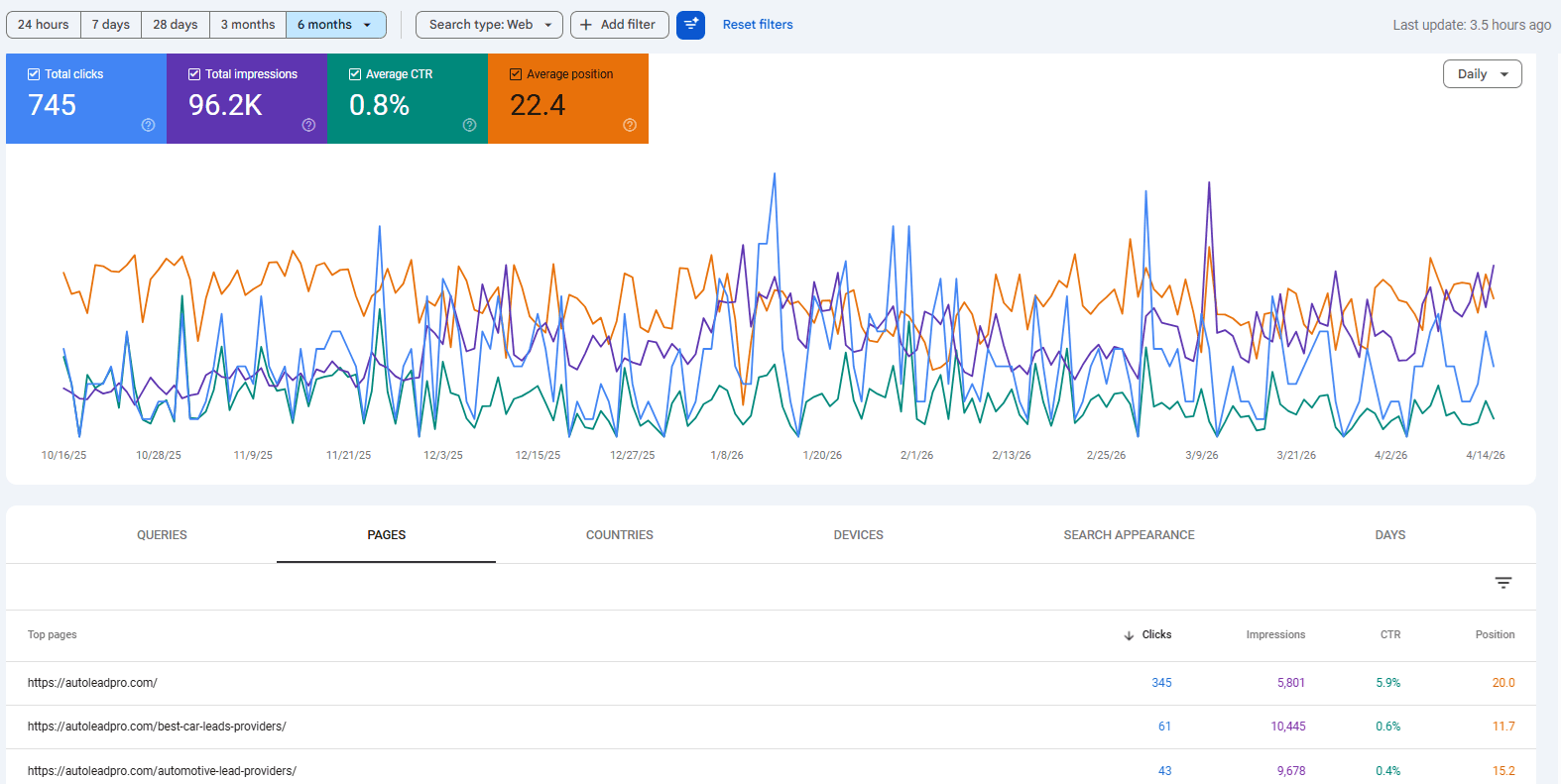
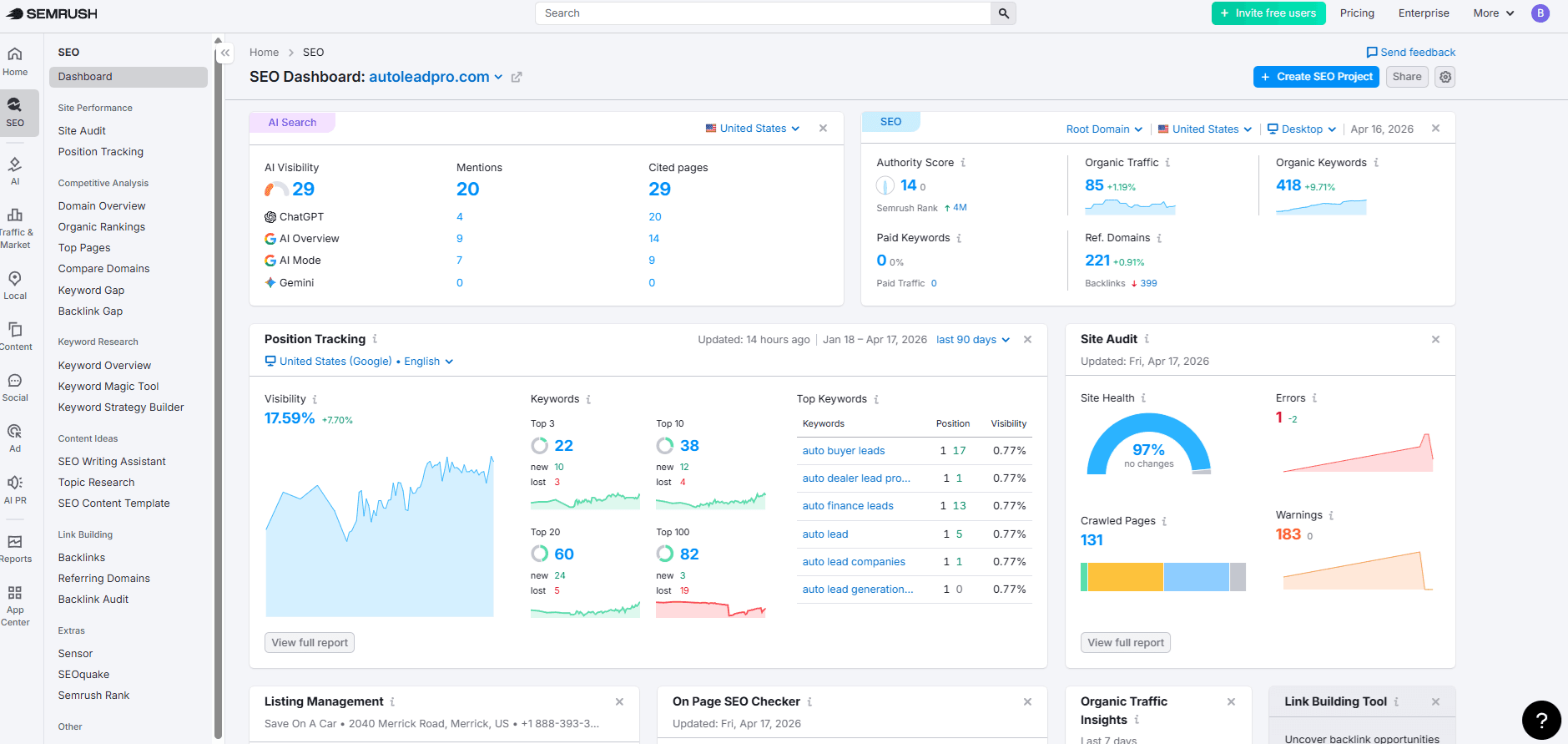
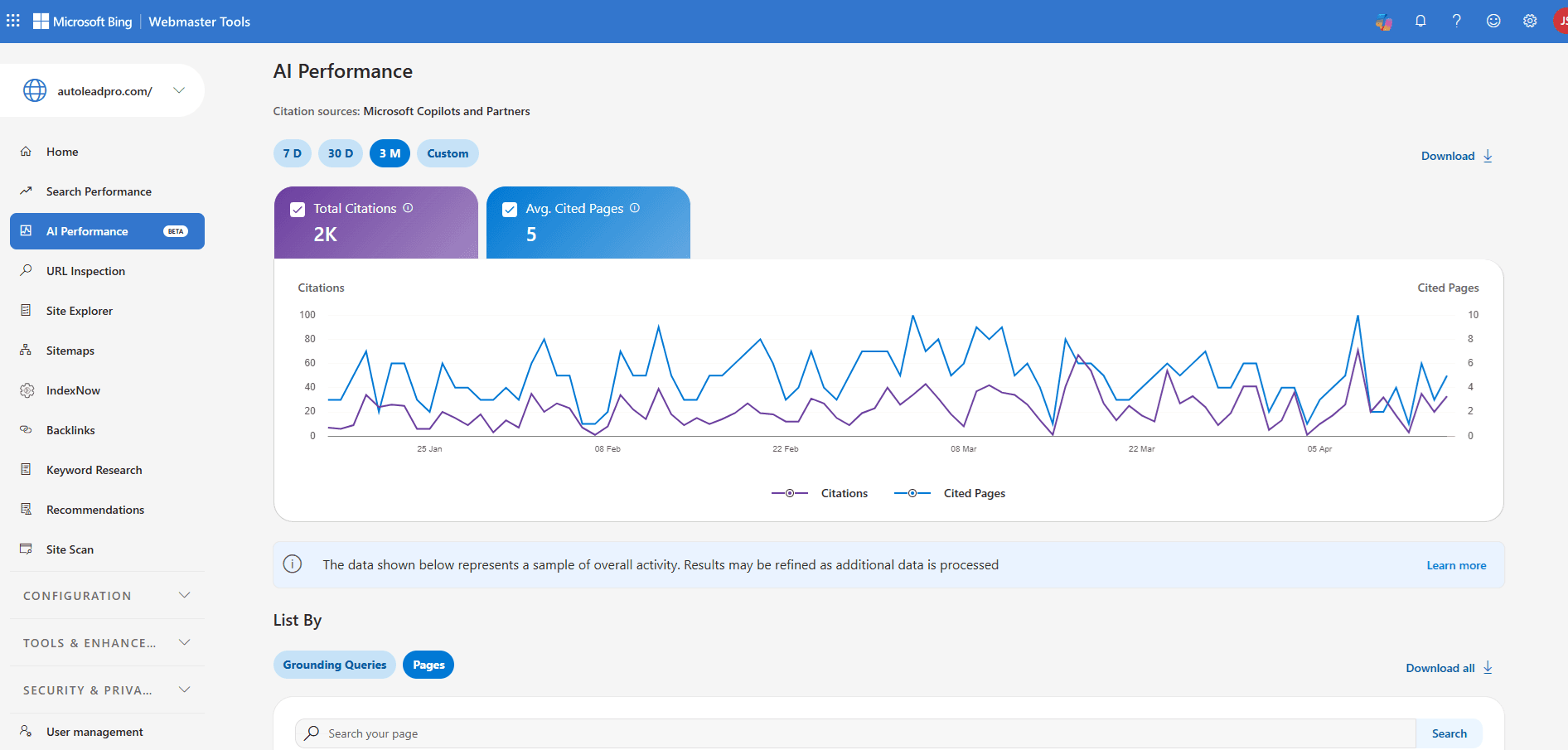
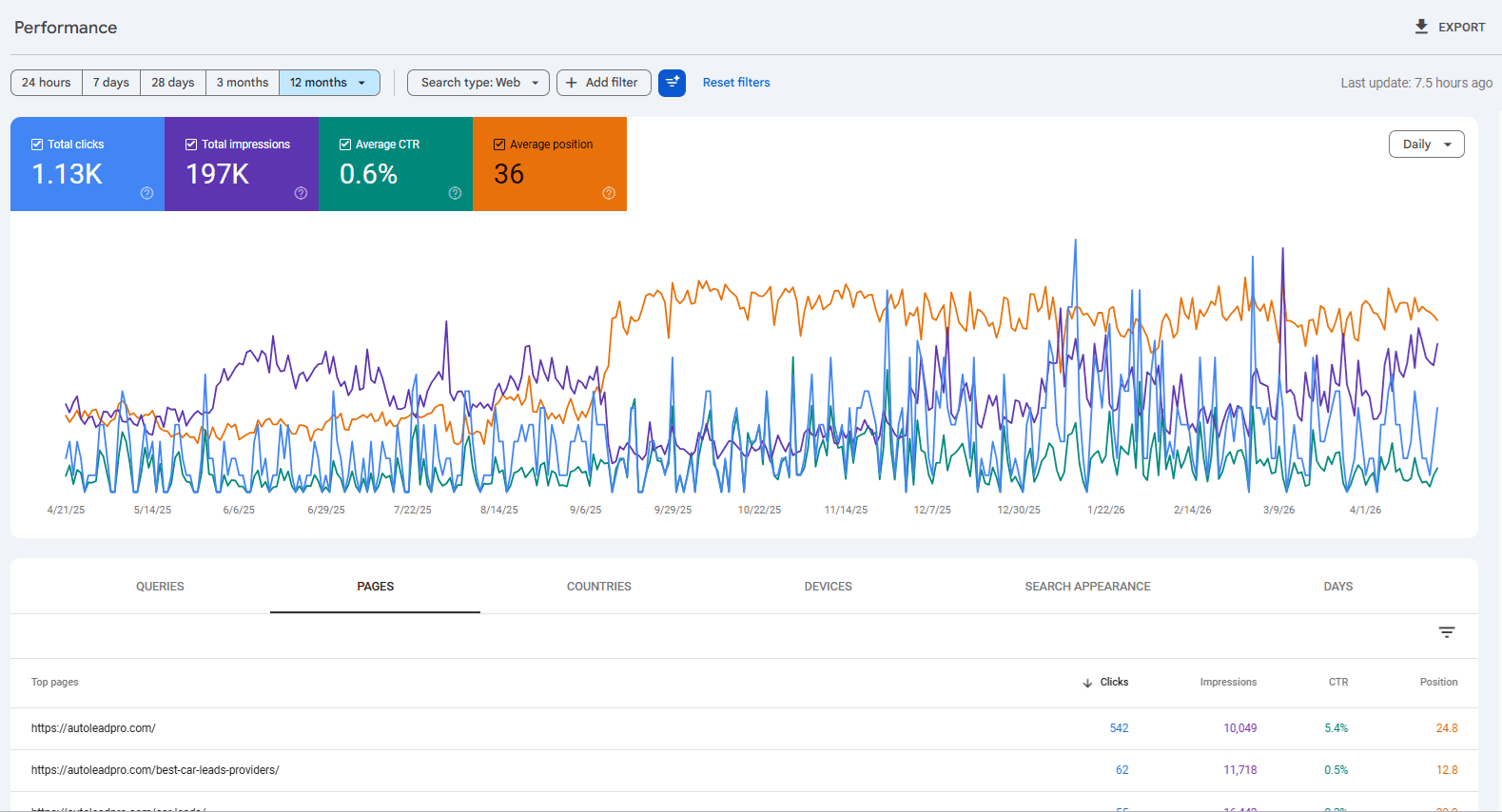
DealerLeadPro uses real screenshots and sample builds as support, then adds exact metrics when the client data is ready to publish.

Sample dealership showroom page available for review.

Lead capture funnel structure for AutoLeadPro-style workflows.

Landing pages built with Next.js, Tailwind, Vercel, and forms.

CRM-style workflows that keep leads from disappearing.

Internal systems experience across time tracking, task pipelines, onboarding, and client portals.

Working DealerLeadPro contact flow with owner notification, visitor auto-reply, and Supabase submission storage.

FAQ

What makes a dealership lead generation system different from a normal contact form?

A normal contact form usually captures basic details and sends an email. A dealership lead system captures buyer intent, source, page context, vehicle or financing details, and next action so the team can respond faster and with better information.

What happens after a dealership lead fills out a form?

The lead should land somewhere visible with enough context for follow-up: source, vehicle interest, contact details, timestamp, campaign, and next action. DealerLeadPro can map the form, routing, dashboard, and follow-up flow around that process.

Can this work for used cars, new cars, financing, or trade-in leads?

Yes. The landing page and form structure can be built around the specific intent: used inventory, new inventory, financing, trade-in, service, appointment requests, or partner lead distribution.

Can this connect to my CRM?

Yes, if the CRM supports forms, API integrations, webhooks, email parsing, or import flows. The exact integration depends on your current stack.

Can this start without a full CRM build?

Yes. The first version can be a focused landing page, form, notification, Supabase table, spreadsheet export, or simple dashboard. The system can grow only after the lead process proves what it needs.

Do you build the landing page too?

Yes. DealerLeadPro can build the landing page, form, routing logic, and reporting workflow around the same campaign.

Can you build a sample before a full system?

Yes. A smaller sample funnel or showroom page can be built first to validate the offer, form flow, and visual direction before turning it into a larger system.

Does this replace dealership SEO?

No. It complements dealership SEO. SEO helps create qualified discovery and intent. The lead generation system helps capture, route, and follow up with that demand once the buyer reaches the site.